
Overview (Generated by Yoast)
- MagicOS 9 offers enhancements like smoother operation, improved workflows, and deeper AI integration.
- Key features include Magic Capsule for task monitoring, Magic Portal for quick app access, and Magic Text for effortless text handling.
- AI Notes provides sophisticated features like transcription, summarization, and formatting options for easier note-taking.
- MagicOS 9 supports cross-device operation, allowing seamless file sharing and productivity across Honor devices.
- Overall, MagicOS 9 presents a user-friendly experience with impressive features, despite minor drawbacks.
Have you ever wondered – is there more to MagicOS 9?
Are we stuck with nothing more than a catchy name tacked on to yet another Android overlay?
If your answer is Yes, then, welcome to the club.
Now on their 9th run, Honor set their sights on increased adoption by refining their OS even more.
To what end? – smoother operation, improved ecosystem workflows, and deeper AI integration.
Let’s take a look at MagicOS 9 to see if these advancements translate into features that actually improve user experience.
If you have been on the fence about updating to Magic OS 9. Or you’re simply considering your first Honor smartphone, this might tip the scales.
Heck – you might just be surprised to find that they’ve gone a step further to unlock a sense of simplicity and refinement.
Skip Ahead


Release and Options
MagicOS 9 was officially introduced on October 23, 2024. Just in time for their latest in Magic devices.
The public beta however, was not available until November 13, 2024, to an initial set of eligible smartphones.
The thing is, when it comes to OS test releases and beta programs, flagship devices usually get first pick. In this case – the Magic V2, V3, 6, and 6 Pro, among others.
MagicOS 9 should have grown on us by now, but I think it’s still a great time to highlight features that will make users’ lives easier.
Magic Capsule
Yes, we have seen it before on the iPhone. It won’t be the last time some brand’s idea gets ripped off.
You know what though? It’s been put to great use on MagicOS 9. And at the end of the day, the users benefit from its advancement.
It’s a great way to keep an eye on tasks that are still in progress without jumping back into the respective apps.
Maybe you’re reading a book on the Kindle app and wouldn’t want to switch windows to check on a timer or know how much longer your Uber delivery will be.

That would have been ideal. The problem is – adoption is lacking in North America and giants like Uber are yet to develop tracking features for Honor’s widget.
However, native apps and media content all track well on the capsule.
A simple tap on the cut-out at the top of the screen reveals multiple capsules with quick access controls for each app.
It’s a handy and unintrusive widget that gives you real-time monitoring and control over smaller tasks, while remaining locked in on a major one.
Magic Portal
I think that the Magic Portal is one of the more authentic and efficient AI implementations on MagicOS 9.
It works spontaneously with Knuckle Circle – yes, you use your knuckle to draw a circle on the screen.
The gesture is quite similar to Google’s Circle to Search, but without the long press required prior to actually circling.
Essentially, whatever captures your attention; say a product, an address or the title of a TV show, can be knuckle-circled instantly.
With a sweeping graphic around the selection, your app window goes askew to reveal a column of apps on the side of your screen.
Voila! – the Magic Portal.
The selection of apps returned is based on probable actions that are compatible with the element that has been circled.
It’s another way that MagicOS 9 provides a rich and carefree search experience.
Magic Text
It might sound trivial but it’s quite useful especially when it comes to copying and utilizing text.
On MagicOS 9, the Magic Text acts as a photo scanner to identify and highlight all the text on a photo.
Tap and Hold on the text brings up options to copy, select all, share or search directly on your default search engine (without having to paste).
Found text that piques your curiosity? No need to copy and paste, simply tap and hold, and then hit search.
MagicOS 9 makes working with image texts that easy – you’re welcome.
Notes
I fear we’re not done with the “magic” nomenclature but at least we can catch a break for now.
AI Notes is a feature that’s embedded within the Honor Notes app on MagicOS 9.
It plays the role of an AI note-taking assistant. One that instantly transcribes voice input into text with the option to save the write-up as a note.
It seems to be more ideal for close quarters, but has the ability to distinguish one speaker from another.
AI Summary
Want more than just a transcription? Try AI Summary.
Notes will summarize the conversation and append indicators for character length and reading time.
AI Minute
Note taking is so well thought out on MagicOS 9 that it also covers point-based outputs for folks looking to take down minutes.
That’s the job of AI Minute.
The feature can be used to re-format transcribed text into minutes – with its take on Theme, Agenda, Content, Outcome, and even Next Steps!
Now that’s just wild.
AI Format
Speaking of format, AI Format is another Note feature on MagicOS 9 that can be valuable if you don’t like how the note presents itself.
Basic, Business, Vivacious, and Classic are formats available to folks that would like to change it up a little.
AI Correction
AI Correction does what it sounds like – sweeps the note for errors and returns a revised version.
Overall, AI Notes has to be one of the most feature-rich tools on MagicOS 9. And it’s great for folks looking to work with transcribed text in a pinch.
AI Translate
Mobile translation has been around since the early 2000s with capabilities for mainly text messaging.
Over the years Google Translate emerged as one of the more adopted services.
These days translation services are a dime a dozen and Honor hopped on that bandwagon with AI Translate for MagicOS 9.
Honor offers AI Translate in 2 formats – Chat and Interpreter. Basically, it’s one-way (Interpreter) and two-way (Chat) translation.
Interpreter is great for listening scenarios like at lectures and meetings. While Chat would be well applied when you need to have a conversation.
Stuff like asking for directions or information on a trip abroad would be the ideal scenario for Chat translation.
Unlike MagicOS 9 though, Google Translate takes AI integration a step further with their Practice feature (currently in Beta).
Learning a new language? Practice lets you try out your dialogue skills with their “AI-Powered” conversations.
However, a translation app right out of the box is quite convenient, especially when it’s just as capable as third-party alternatives.
Magic Retouch
MagicOS 9 feature upgrades wouldn’t be complete without something for the cameras and photos.
Magic Retouch is triggered by the AI Edit button in Honor’s photo app – Gallery.
AI Eraser
There’s AI Upscale and AI Outpainting available, but AI Eraser has to be the most popular AI-related photo feature of the past 5 years.
Fun Fact: AI Eraser debuted in 2021 on Samsung’s One UI 3. Initially called Object Eraser, it was designed to remove unwanted people from a photo’s background.
Despite having all this time in the spotlight, I find that it’s not so intelligent on Honor’s MagicOS 9.
Definitely great to have, but seems to struggle a bit with shadows whether the shot is taken inside or outdoors. Even flat graphic images (like on screenshots) are no exception.


AI Upscale
Getting back to the others; AI Upscale is pretty self-explanatory.
It’s quite handy for folks that don’t care to manually adjust photo properties like brightness, sharpness or contrast.
Why would they? When MagicOS 9 gets it all done in a few seconds with just a single tap.
The goal is to adjust these photo properties in the background. Then return an “up-scaled” photo that’s hopefully rendered to your taste (can you spot the difference?).


AI Outpainting
Just as capable and valuable as the first two, Outpainting is used to bring a photo to your desired aspect ratio – wait for it – without cropping.
Now you have a feature that fills (not cuts) photos to meet your varying profile photo needs.
Thanks to MagicOS 9, it’s now available on your Honor smartphone.
And it’s by far one of the more imaginative solutions to photo aspect ratios that we didn’t know we needed.


Honor Ecosystem Features
If you are an enthusiast, you might dream of someday having “tech without borders”.
Until then (if the day ever comes), we have to appreciate the fact that tech brands are businesses first.
With that comes competition, market dominance, and inherently – walled gardens.
Either way, on MagicOS 9, Honor seems to have pulled out all the stops. We’re talking camera, network, and screen sharing capabilities, and seamless cross-device operation.
If you are already an Honor user, I’d wager that these features will have you considering a second device.
So, what’s in the walled garden? Let’s find out. I will be referring to a couple of MagicOS 9 ideal scenarios.
Camera Sharing
Great for capturing a photo with your phone camera and having that photo instantly available on your tablet or laptop.
Scenario: you are taking notes on your laptop, on the Notes app. Select “insert”, then “insert from other devices”, then “take a photo”.
This will activate the camera on your phone. Take the photo and confirm. The image will appear instantly in the laptop’s Notes app.
Network Sharing
This is a convenient way to quickly share your phone’s internet network on MagicOS 9, without diving into the settings.
Scenario: your laptop or tablet is not connected to an internet network. Your phone can recommend a mobile tether service. Select “use” on the dialog window.
That’s it apparently. You’re instantly connected on your other Honor device(s).
Screen Sharing
Ideal for multi-window productivity tasks on MagicOS 9.
Scenario: you’re taking notes on your laptop and would like to refer to information on your browser, without switching windows.
Select your browser window, drag and drop across the screen to the other Honor device, as you would when using actual monitors.
Now, you can control the browser on your tablet with inputs from your laptop.
Imagine being on a trip and still having access to multi-window productivity – all because you packed an Honor laptop and tablet.
That’s convenience at another level – thanks to MagicOS 9.
Cross-Device Operation
I’d consider this Screen Sharing on steroids. This MagicOS 9 feature unlocks instant file-sharing across connected Honor devices.
Scenario: you are taking notes on your laptop, again. But this time, you’re trying to insert an existing file or photo.
Move your cursor to the edge of your laptop screen. Select the Honor device from the pop-up window.
Move your cursor across device screens, then drag and drop the file or photo.
There’s convenience. But Honor’s walled garden has “instant convenience” written all over it.
AI Services Sharing
Thanks to cross-device operation, MagicOS 9 AI features that are not currently available on your device can be accessed from your Honor smartphone.
Scenario: there’s an unwanted object in a photo that’s saved to your laptop. Through the Magic Ring, you can project your smartphone screen to the laptop.
Open the photo from Gallery and use the AI Eraser to remove the unwanted object, then save.
Then drag and drop the AI-edited photo back to your laptop.
All completed within the ecosystem, on your Honor devices, no third-party apps required.
Takeaways
MagicOS 9 is intuitive and easy to use. Honor’s ecosystem is feature-rich and beneficial, thanks to sound AI implementation.
There might be a few drawbacks; like in the case of the accuracy of the AI Eraser. Or the authenticity and adoption of the Magic Capsule.
But overall, a good score in service and workflow integration, and available productivity features in the ecosystem.
I’ll be looking forward to testing some of these features once I get my hands on another Honor device.
And if it’s up your alley, MagicOS 9 also comes with new lock screen experiences – 3D Avatar and Magic Lock Screen.
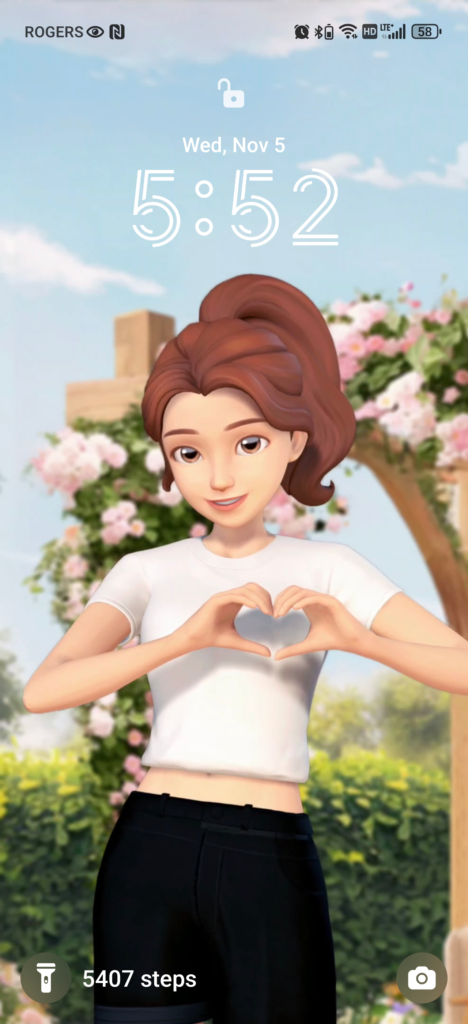


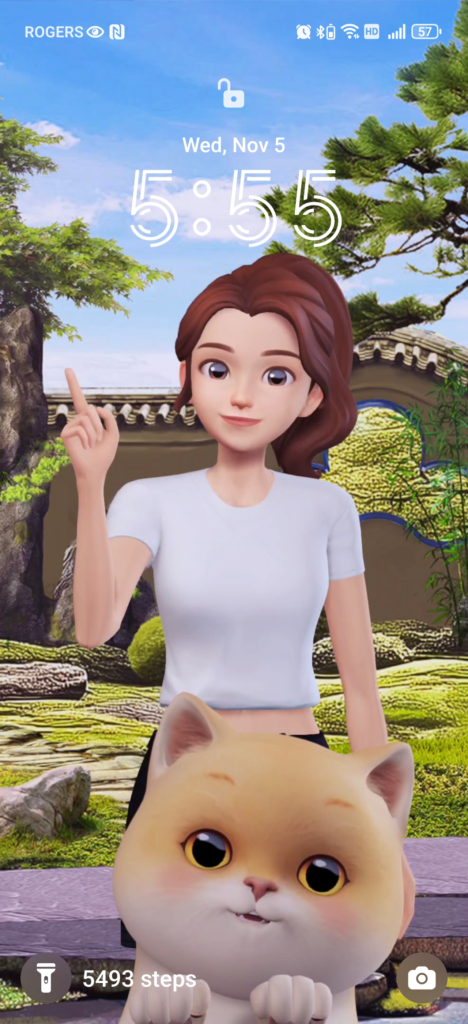

3D Avatar personalizes your lock screen with an avatar that makes a different move every time the screen is unlocked (up to 22 generated actions).
They could throw up a peace sign, a heart sign, or even a fist bump – acting as your daily companion.
And supposedly synching with a perception of your status (so far on MagicOS 9, it feels like a playback loop of your selected actions).
Magic Lock Screen on the other hand, is a set of pre-installed and customizable lock screens (including 3D Avatar).
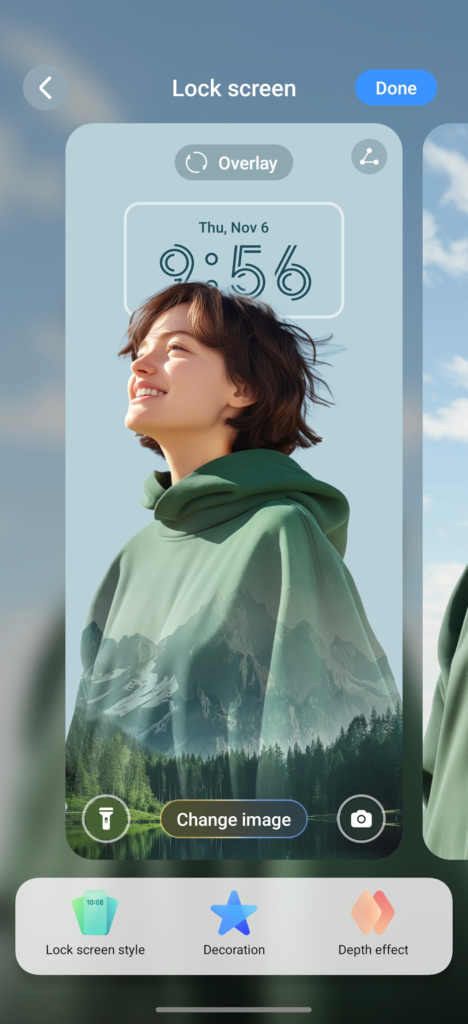
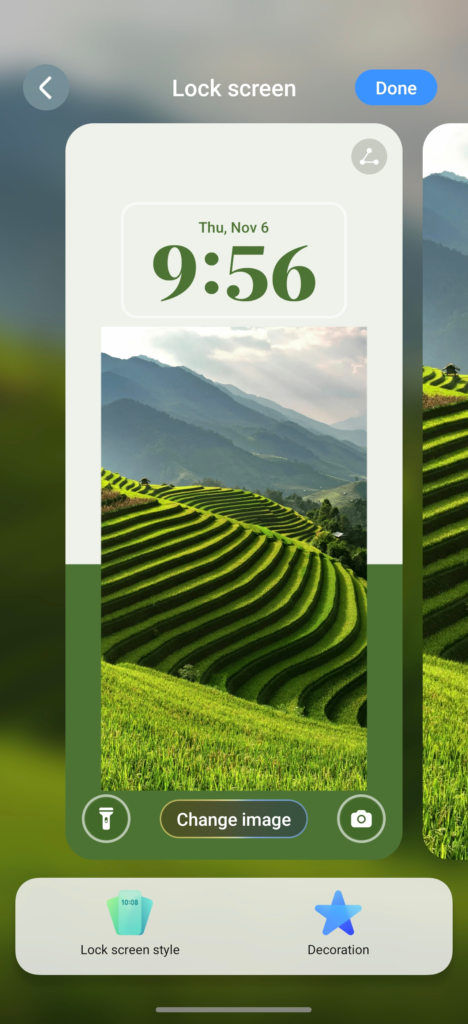
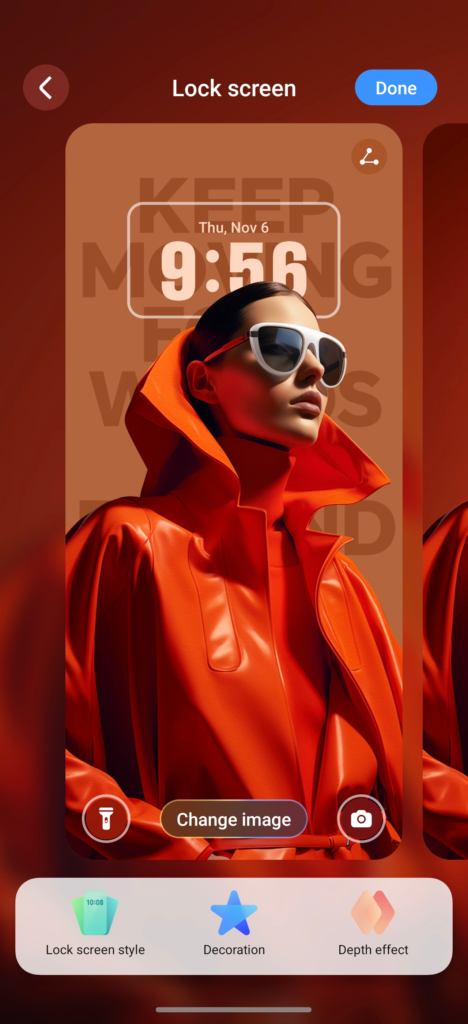
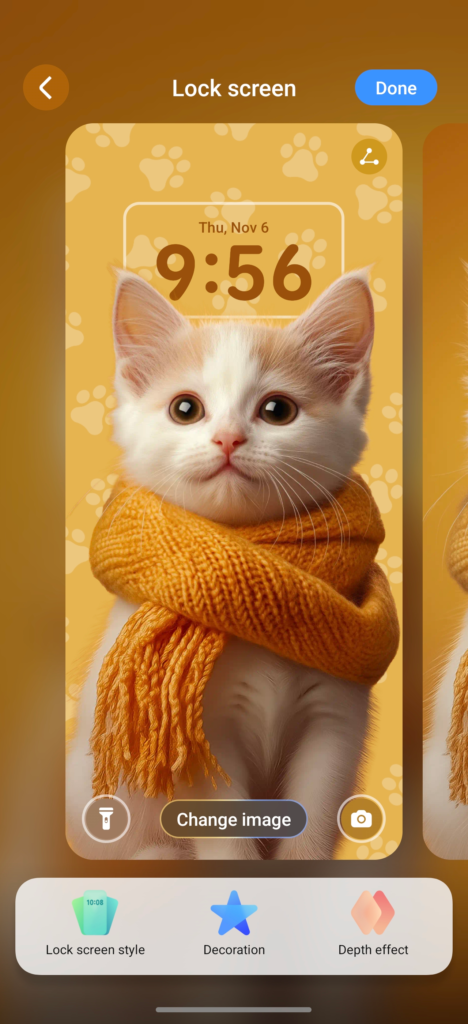
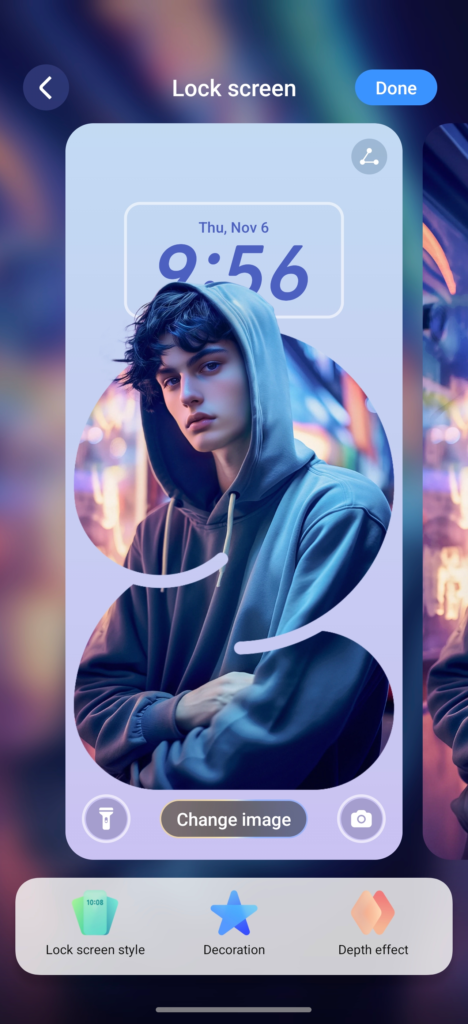
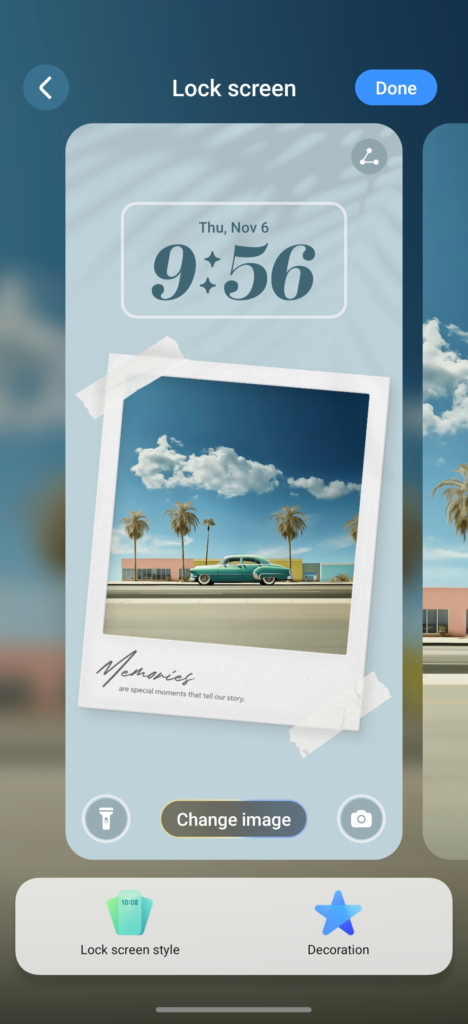
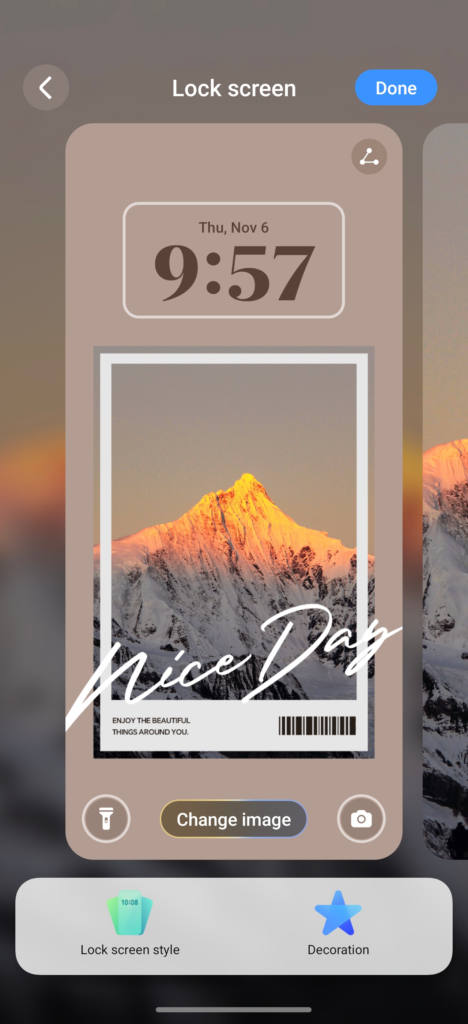
All in all, a great experience and a practical set of features onboard MagicOS 9, that can instantly improve productivity, while leaving room for some lightheartedness.
Know of a feature I might have missed? Have an experience with MagicOS 9 you would like to share? Hit me up in the comments.